Table of Contents
No Table of content found.
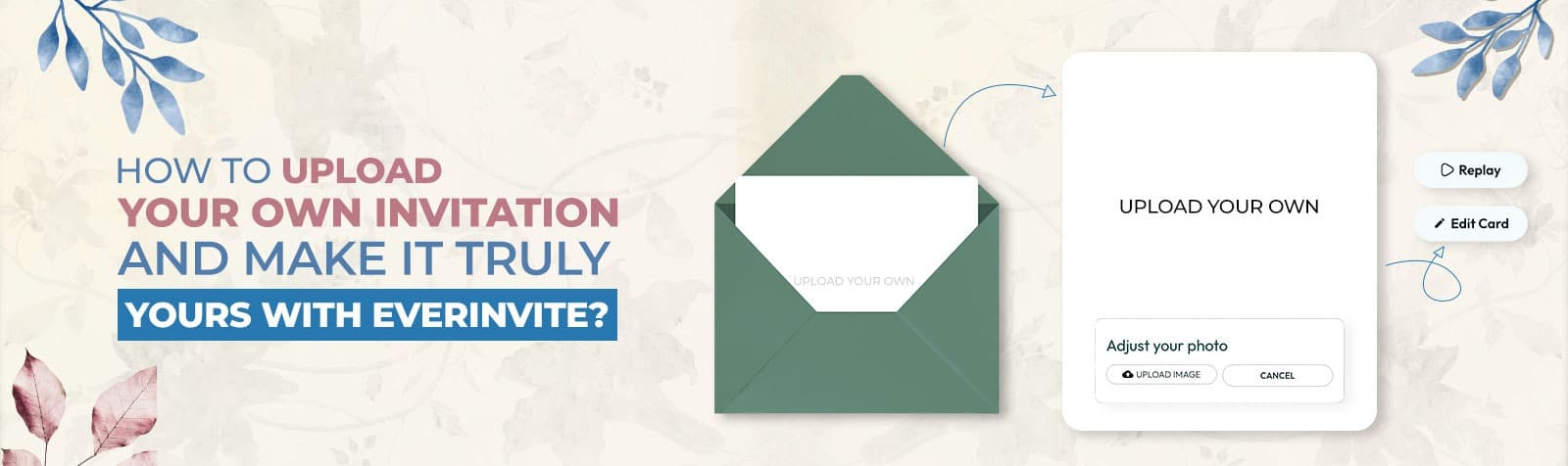
How to Upload Your Own Invitation and Make it Truly Yours with EverInvite?
Author By: Vamsi Pothula
For any celebration, ceremony, or event, it’s the invitations that set the tone even before guests’ arrival. When your occasion carries real meaning, a generic template can feel ordinary.
Have you ever wondered how to create a perfect invite design and share it online while retaining the personal touch? When looking for the perfect invite, many hosts already have a vision in their minds.
However, they struggle to implement it successfully on digital platforms without sacrificing detail or quality.
That’s where the power of customization becomes real. The easiest way to make it truly personal is by uploading your own invitation on a reliable online platform. This feature turns your vision into a polished, complete digital invite, ready to share.
We’re breaking down exactly what the feature “Upload your own invitation” entails. We will also explain why it’s a smart choice for meaningful events and how EverInvite can help you craft simple and thoughtful invites. Here’s everything you need to get started – creative inspiration, clear steps, and practical suggestions.
What Does It Mean to Upload Your Own Invitation Online?
With everything going digital these days, the real objective behind creating invitations goes beyond printed cards. They are an easy way to share big news with your loved ones instantly.
Basically, you’re just taking a design you love to bring your idea to life. With multiple features and customization options, you can turn it into an amazing shareable experience.
You don’t have to start anything from scratch. Instead, you can upload a file that reflects your wording, style, and occasion. It keeps your invitation personal while adding a touch of modern convenience.
Here’s why it’s a total game-changer:
- Easy to update if you change any detail.
- Faster sending and delivery.
- A polished look across devices.
For group-based celebrations, you can make it simple for everyone with digital greeting cards for the group. You can decide which message to send, and guests can respond to your card more easily.
Why Uploading Your Own Invitation Is the Best Way to Personalize an Event?
The best way to make an event truly personal is to create an invitation by uploading your own design. A custom design reflects your story, style, intention, and mood. It’s much more special than a generic template.
In a world full of repeated layouts, your invite can stand out and grab attention quickly. It’s because when you create your own design, you share something original. Hence, people can sense the care and love behind it.
When you upload your own design to create online invitations, you can match themes or add meaningful visuals. Little things like your color palette or the background also get their own voice when it comes to cultural details.
Your card becomes much more than information. It becomes the first emotional footprint among the recipients. In this way, you can create a stronger connection as guests see something you have created for the moment.
If you are looking to create something authentic, we suggest uploading your own design to bring that vision to life.
Who is the “Upload Your Own Invitation” feature best for?
The upload-your-own invitation option works best for those with a clear concept for their event. This feature is perfect if you belong to any of these user groups:
1. Hosts Planning Meaningful Celebrations
Perfect for weddings, birthdays, or showers when you want your guests to feel personally connected through every thoughtful detail.
2. Creatives With A Custom Design Ready
It’s ideal if you already have a design made on a professional platform. Customize your design however you like and share it easily.
3. Families Organizing Group Events
The option is great for family get-togethers, milestone parties, or reunions where invitations need clarity, warmth, and uniqueness.
4. Companies Planning Their Big Event
It’s useful for professional events that require branded invitations with a sleek, smart feel that templates can’t provide.
5. Anyone Wanting To Create Custom Invites
If you want your creation to stand out, uploading your vision helps express the event’s vibe before the guests even arrive.
Benefits of Using EverInvite’s “Upload Your Own Invitation” Feature
Are you tired of invitations that fail to capture the true essence of your event? Many hosts look for something more personal than an average template. However, sharing a custom design online can become a real hassle.
EverInvite fills this gap with its “Upload Your Own” option. It’s a brilliant alternative to average, pre-made layouts. The platform allows you upload your design and turn it into a guest-ready experience.
If creativity is just as important as convenience, these benefits depict why EverInvite’s upload feature works best:
1. Full Creative Ownership Without Starting Over
With EverInvite, you can make your invitation stay true to your original style. You don’t need to rebuild a design that you created elsewhere.
The uploaded file becomes the foundation of this platform. As a result, the tone, look, and personality remain intact. Simultaneously, it becomes super easy to send the invitation digitally.
2. A More Personal First Impression for Guests
Guests notice when an invite feels intentional rather than basic. On EverInvite, you can upload your own design for online invitations in just a few simple steps.
It helps the event feel meaningful before it even begins. EverInvite upholds that personal touch and keeps the invitation readable and visually consistent across devices.
3. Smooth Digital Sharing With Guest-Friendly Access
The debate between Digital Vs. Paper invitations are now more relevant than ever. Once uploaded to EverInvite, your invitations are ready to share through modern channels. Forget about the headache of printing or stamps.
EverInvite simplifies the delivery, so guests can open, view, and respond anytime. For an online invitation, uploading your own becomes less of a task and more of a seamless part of event planning.
4. Built-In Tools That Complete the Invitation Experience
An invitation is not just about design. With EverInvite, you can swiftly pair your uploaded layout with essential event details such as:
- Timing
- Location
- RSVP Options
- Notes
The result feels complete, not fragmented. It matters when guests rely on a single source for information.
5. A Professional Option for Both Personal and Formal Events
From birthdays to business gatherings, EverInvite works well for any event. By uploading a custom design, you can match the invitation to the occasion’s tone.
It’s more useful, especially when cultural themes, branding, or specific aesthetics matter. You can enjoy flexibility without sacrificing polish.
Step-by-Step Guide to Upload Your Own Invitation Digitally With EverInvite
EverInvite has made it easy to transform a personalized invitation design into a whole digital experience. Your recipients can quickly access, comprehend, and reply to. Because the upload procedure is organized, the platform overlooks nothing crucial.

Step 1: Customize
You can start by uploading your invitation design and adjusting its appearance online. EverInvite helps maintain the look of your original file. Simultaneously, it allows a bunch of customization refinements that improve readability and presentation.
Customization is the most crucial aspect where the invitation becomes more than an image. It’s the first step toward creating a shareable experience that feels personal and intentional.
Step 2: Add Event Details
After designing the card, the next step is to enter the essential information guests need. Add details, including event name, date, time, location, host name, and contact number, in a structured format. Moreover, you can craft a heartwarming message for your occasion in this step.
You can flawlessly organize these details in one place. Therefore, guests don’t have to search for key information repeatedly.
A well-filled event section reduces confusion by making the invitation feel intentional and guest-ready.
Step 3: Update Settings
The “Settings” section shapes how you want the invitation to function once you share it with the guests. You can create polls based on food choices, guest list, entertainment, and many other aspects to make it more individualized.
These choices matter significantly because they influence how smoothly guests interact with the invitations. It also reflects how easily the host stays informed about what to expect in the event.
Step 4: Add Guests
Once the invitation is ready, you can build your guest list directly in EverInvite. Add guest names, email addresses, and phone numbers individually, or paste a complete list of guest details.
You may also search your device’s address book or upload a structured file that already contains the information.
It helps manage communication, track responses, and keep the event organized. A digital invitation works best when every guest receives the right details in the right way.
Step 5: Review and Send
Before sending the invite, the final step is to review it as guests will see it.
Minutely check design clarity, event details, and RSVP flow. If you need to make any customization changes, you can do so right away.
EverInvite makes it easy to confirm that everything feels polished across different devices.
After that, send confidently through digital channels and let the invitation set the tone for the celebration.
How Can EverInvite Help You Make a Custom-Uploaded Invitation Feel Truly Unique?
One crucial aspect of designing an invitation is how it reflects your personality and conveys the event’s vibe to guests.
EverInvite’s tools are designed to make every invitation uniquely yours. By using these thoughtful features, you walk some extra miles to turn a simple design into a memorable delight:
1. Card Design
Pay attention to the core aspects of your invitation. With this option, you may change the text, colors, and spacing without affecting the layout you supplied.
It ensures the primary design reflects your style and that attendees can easily understand the event’s tone.
2. Envelope
The first impression of your invitation is the envelope. You can select or customize an envelope that complements your card’s design.
If you are wondering what to include in a wedding invitation, this is your space to personalize. Give your guests that ‘opening a real letter’ feeling without the paper cut.
3. Envelope Liner
Adding an envelope liner adds personality and depth. Choose patterns or subtle graphics to infuse style or thematic elements. It makes the unwrapping experience feel deliberate and thoughtful.
4. Stamp and Sticker
Small touches like stamps or stickers create a sense of attention to detail.
EverInvite provides options to add adorable elements, especially for events like birthdays, anniversaries, or showers. It enhances the visual appeal and leaves a lasting impression on recipients.
5. Background
The background ties all the above-mentioned together. Choose a complementary color or a subtle pattern to frame your uploaded design. It will make the invitation stand out exceptionally.
The online invite becomes seamless with the “Upload Your Own” feature when every element harmonizes beautifully.
Common Mistakes to Avoid When Uploading Invitations Online
Although it’s a great idea to upload a personalized invitation, minor errors might negatively affect how your attendees perceive it. Even after streamlining the process, it still helps to avoid common mistakes that might diminish clarity.
Prior to sending out your invitation, we suggest you keep these errors in mind:
• Posting a blurry or low-quality design online
A pixelated file detracts from the beauty of an invitation. Make sure that the text remains crisp and the images appear professional on any device. To do this correctly, we recommend submitting a high-resolution picture or PDF every time.
• Not Leaving Enough Room for Event Specifics
Some designs are quite attractive. Nevertheless, they do not include important details. Invitations must provide precise time, place, and RSVP details. A well-balanced layout makes things easier for visitors to quickly comprehend.
• Making Use of File Formats That Do Not Look Good Online
Not all file types are compatible with digital sharing. Using clear PNG, JPG, or PDF files ensures your invitation loads properly and maintains its appearance.
• Including too much text on the invitation
An invitation becomes cluttered and hard to read when too many words are included. To maintain a beautiful, understandable design, keep details brief and prioritize what visitors need most.
• Not Sharing After the Final Preview
Always check the invitation’s appearance on desktop and mobile devices before sending. Uploading your own invitation works best if you are certain that the visitors will find it complete.
Bring Your Invitation to Life with EverInvite!
Creating an invite should feel more personal than the event itself. When you share your own design, you can create something polished and meaningful. It’s completely different than the original.
That’s where EverInvite makes the entire process absolutely effortless for you. Without forcing your celebration into a plain layout, you can give your custom invitation a new edge. The tools and features on our platform enable you to create a digital experience that is simple for guests to open, easy to share, and ready for modern event planning.
With guest-friendly delivery, smooth uploading, and tools to keep everything in place, your invitation becomes a “first impression.”
Are you ready to make your card stand out and make it something more than a message? Upload your own custom invitation on EverInvite and start creating today!
Have questions? We are here to help – feel free to get in touch with our team.
Frequently Asked Questions (FAQs)
1. Do I need special software to upload a custom invitation?
You don’t need to know any special design software to use EverInvite. You can easily upload invitations that you have already created on any simple editor. As long as you save your file properly, EverInvite makes the upload process easy and beginner-friendly.
2. Are there size limits when uploading invitation files?
Undoubtedly, EverInvite supports high-quality invitation uploads. Nevertheless, overly large files can affect fast viewing and smooth delivery.
We recommend keeping your design optimized, clear, and not overly large. It will ensure guests can easily access and open the invitation on any device.
3. Is it possible to upload your own invitation design for free on digital platforms?
Different platforms offer a range of flexible options. With EverInvite, you can upload your own design for free. At no extra cost, you can turn your existing file into a shareable digital invite. Upload, design, and share with the guests in minutes.
4. What if I want my uploaded invitation to feel more personal for guests?
EverInvite can make your uploaded invitations more meaningful by letting you pair your design with several details. This includes event details, guest-friendly sharing, and interactive touches.
Small additions such as a sticker, a meaningful background, a little message, or an RSVP option also make it feel complete.
5. Can I upload my own invitation and still manage guest responses easily?
Yes, it’s absolutely possible to upload a custom invitation design while still ensuring the entire experience is organized. Easily share it via digital platforms and make it easier for guests to respond, feel included, and stay informed.



From thoughtful birthday wishes to heartfelt expressions of gratitude, send a customizable online card.